

The barrier between having a creative idea and producing a professional-quality visual has collapsed. Tools that cost six figures and required specialist teams two years ago are now accessible through a browser, priced between free and $30 per month, and operable by anyone who can write a descriptive sentence. In 2026, the creator who understands how to navigate the AI image and video production stack can produce output that rivals the quality of small production companies — with no camera, no studio, and no design degree. This guide explains the current tools, the verified workflows, and the step-by-step process for going from concept to finished professional content.
Understanding the Stack: Image First, Video Second
The most important principle in AI visual production in 2026 is that the best video workflows begin with an image. Generating a video directly from a text prompt without an image reference produces inconsistent results — characters change appearance between shots, compositions drift, and the model has no fixed visual anchor. The professional workflow starts with generating a base image, validating the composition, and then feeding that image into a video model. Fixing problems at the image stage is ten times cheaper in time and compute cost than correcting them after a video has been generated.
This image-first principle means your production pipeline has three distinct phases: image generation, video generation, and audio or editing refinement. Each phase has dedicated tools optimized for it, and the most effective approach uses different tools for different stages rather than relying on a single platform for everything.
Phase 1: AI Image Generation — Choosing Your Tool
The right image tool depends on your specific requirement. For photorealism, FLUX 1.1 Pro and Google’s Imagen 4 Fast produce sharp, accurate results quickly. For artistic or cinematic style, Midjourney remains the leading platform with its distinctive aesthetic quality. For text accuracy within images — logos, signs, labels — Ideogram 2.0 handles typography better than most competitors. For absolute commercial copyright safety with indemnification, Getty Generative AI and Adobe Firefly are the appropriate choices. For free experimentation without cost, Google ImageFX and Stable Diffusion provide capable starting points.
Step-by-Step: Generating a Professional Image with Midjourney
Midjourney operates through Discord. After joining the Midjourney server and subscribing to a plan — the Basic plan begins at $10 per month — navigate to any generation channel and use the /imagine command followed by your prompt.
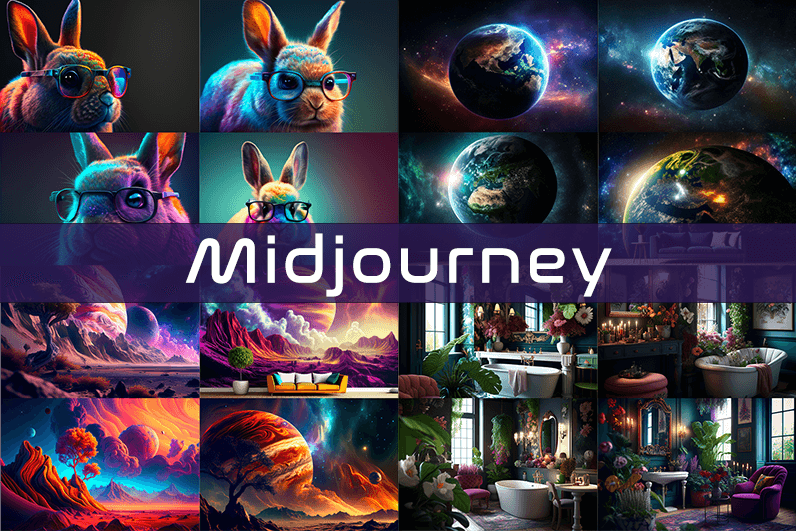
A professional prompt is structured in five elements: subject, environment, style, lighting, and camera perspective. An example: /imagine photorealistic portrait of a South Asian entrepreneur in a glass-walled office, golden hour lighting, shallow depth of field, shot on 85mm lens, ultra-detailed, 8K. The more specific the prompt, the closer the output to your intended image. Use aspect ratio parameters (--ar 16:9 for landscape, --ar 9:16 for vertical/social) to set dimensions appropriate for your platform.
After generation, Midjourney produces four image variations. Clicking U1 through U4 upscales the corresponding image to maximum resolution. Clicking V1 through V4 creates new variations based on that composition. Download the upscaled version and verify composition before proceeding to video generation.
Phase 2: AI Video Generation — The Major Tools in 2026
The video generation landscape has matured significantly. Resolution has progressed from 720p to native 4K, video length has extended from 3 to 5 seconds to 20 seconds or more, and models like Sora 2, Veo 3.1, and Kling 2.6 now generate synchronized sound effects, ambient audio, and dialogue that matches visual content natively.
Runway Gen-4.5 scored the highest in blind preference leaderboards against Google and OpenAI models as of early 2026. It is built for filmmaking, understanding industry concepts such as timed beats and camera choreography including pan, truck, and handheld feel. The Aleph model within Runway edits and transforms existing video with text prompts. Pricing begins at $12 per month. Google Veo 3 wins in reliability and produces ready-to-post videos. OpenAI’s Sora 2 acts like an AI director — it has shot and continuity sense to turn a narrative or surreal prompt into a coherent sequence with audio included. Sora 2 is accessible through ChatGPT Plus at $20 per month for limited use, or ChatGPT Pro at $200 per month for extended access.
For social media content requiring fast iteration, Kling AI and Pika 2.5 offer affordable entry-level paid plans starting around $10 per month. For business and training videos with avatar presenters, Synthesia is the leader. For creative control with granular editing tools, Runway is the best option.
Step-by-Step: Creating a Video With Runway Gen-4.5
Sign up at runwayml.com and select the Standard or Pro plan. On the dashboard, select Image to Video. Upload your Midjourney-generated base image. In the prompt field, describe the motion you want: “camera slowly pushes forward, subject turns slightly to camera, gentle environmental movement in background, cinematic depth.” Select duration — 4 or 8 seconds for the Standard plan. Click Generate.
Runway will produce two to four variations. Review for motion quality, subject consistency, and composition accuracy. Download the best result. For longer sequences, use Runway’s storyboard feature to chain multiple generations, each beginning with the final frame of the previous clip. This maintains visual continuity across a multi-shot sequence.
Step-by-Step: Using Sora 2 for Narrative Video
Open ChatGPT and enable Sora video mode from the interface. Sora is accessed through the same ChatGPT interface used for text, with a toggle to activate video generation. Structure your prompt with: scene description, subject and action, lighting conditions, camera style, and desired duration. Select aspect ratio — vertical for TikTok and Reels, landscape for YouTube. Click generate. Sora allows multiple takes for variety. For a product video, an effective Sora prompt reads: “Close-up of a minimalist wireless earphone on a dark reflective surface, slowly rotating, studio lighting with rim light, cinematic feel, 8 seconds, 16:9.”
Phase 3: Audio, Voiceover, and Final Polish
For voiceover and narration, ElevenLabs produces natural-sounding synthetic speech in multiple languages and voices, with a free tier available. For AI music generation, Suno produces full songs with vocals quickly, while Udio focuses on higher quality. For audio cleanup — removing background noise and normalizing levels — Auphonic handles post-production processing automatically.
For final assembly and editing, CapCut’s web or desktop version provides a free, capable non-linear editor with AI features including auto-captioning, background removal, and template-based transitions. VEED is the easiest browser-based option for adding subtitles, brand kits, logos, and final formatting in one step before export.
Prompt Writing: The Skill That Separates Good from Professional
Across all tools, the quality of your prompt determines the quality of your output. Professional prompts are specific, layered with visual context, and include camera and lighting direction. Vague prompts produce generic results. Replacing “a woman walking in a city” with “a young Indian woman in a red saree walking confidently through a rain-wet Mumbai street at dusk, bokeh lights in background, medium tracking shot” gives the model sufficient visual information to produce a compelling, specific output. Video prompts differ from image prompts in that they require description of motion, duration, and temporal change — not just a static scene.
Legal and Disclosure Considerations
AI video tools follow strict usage guidelines. Google applies SynthID watermarking to all Veo outputs. OpenAI limits certain Sora prompts. Always check the allowed content policies for each platform before publishing commercially. Most platforms in 2026 permit AI-assisted content in commercial work, provided the creator discloses AI involvement where platform policies or applicable regulations require it. Licensing terms vary — platforms including Adobe Firefly and Getty Generative AI explicitly offer commercial indemnification; others do not. Verify the specific terms of any platform before using its output in paid commercial work.