

The average knowledge worker switches between apps more than 300 times per day, according to research cited by productivity software companies. A significant portion of that switching involves manually moving information between tools — copying a form response into a spreadsheet, forwarding a customer email to a team Slack channel, updating a CRM after a sales call, posting a new blog article to social media. None of this work requires human judgment. All of it consumes real time, introduces errors, and prevents the person doing it from focusing on higher-value work. Zapier is the tool that eliminates it — and in 2026, its integration of AI into every workflow layer has made automation more accessible and more powerful than at any point in the platform’s history.
What Zapier Is and How It Works
Zapier is the most connected AI orchestration platform on the market. It empowers builders to create and scale workflows across their tools, teams, and data without any coding required. Automated workflows — called Zaps — follow a simple command structure: when this happens, do that. Beyond Zaps, the platform offers Tables for structured data storage, Interfaces for brandable forms that trigger workflows from responses, Agents for specialized AI-powered assistants working across apps in the background, and Chatbots for AI-powered conversational interfaces.
Zapier integrates with over 8,000 apps and is trusted by more than 3 million businesses. Its AI Copilot is embedded in every product — describe what you want to build in plain language and it suggests triggers, actions, and multi-step logic for you. Zapier Canvas is an AI diagramming tool that maps and optimizes processes so teams can document, refine, and automate with ease.
The fundamental architecture of a Zap consists of two components: a trigger (an event in one app that starts the workflow) and one or more actions (what happens automatically in response). For example: a new row added to a Google Sheet triggers an email to be sent from Gmail — that is a complete, functional two-step Zap requiring no code and taking approximately three minutes to configure.
Getting Started: Your First Zap in 5 Minutes
Go to zapier.com and create a free account. The free plan includes core features and access to most app integrations. Once logged in, the dashboard presents a prompt field reading: “Describe what you want to automate.” Type your workflow in plain language — for example: “When someone fills out a form on Google Forms, send them a thank-you email using Gmail.” The AI will suggest a Zap based on your description. You can review and edit each step before activating it.
The AI Copilot converts natural language into a draft workflow. You do not need to know which app is the trigger and which is the action in advance — Copilot infers this from your description. Once the draft Zap is generated, each step shows the connected app, the specific trigger or action selected, and the data fields it will use. Click through each step, authenticate your accounts when prompted (Zapier handles all login and permission flows securely), and click Test to verify data flows correctly before turning the Zap on.
Five Automations That Save Real Time Every Week
1. Lead Capture to CRM (Saves 30–45 Minutes Per Week) Every time someone submits a contact form on your website, Zapier automatically creates a new contact record in your CRM — whether HubSpot, Salesforce, Notion, or Airtable — and simultaneously sends a personalized welcome email from Gmail. The trigger is the new form submission; the actions are CRM record creation and email send. This eliminates manual data entry and ensures no lead falls through the cracks during busy periods.
2. Email Summarization to Slack (Saves 45–60 Minutes Per Week) AI Workflows in Zapier let you describe automation in natural language — “When I get a Gmail, summarize it and post to Slack” — and Zapier generates the complete workflow. This is particularly useful for high-volume inboxes: important emails from specific senders or containing specific keywords are automatically summarized by Zapier’s built-in AI and sent as a concise Slack message to the relevant channel. You read a three-sentence AI summary in Slack rather than opening and reading a full email before knowing whether it requires action.
3. Content Repurposing Automation (Saves 60–90 Minutes Per Week) A WordPress-LinkedIn integration automatically posts your new WordPress articles to LinkedIn so you do not need to remember to cross-post manually. This same principle extends to other platform combinations: a new YouTube video triggers a summary post to X and LinkedIn; a new podcast episode triggers a newsletter announcement draft in beehiiv; a new blog post triggers a Pinterest pin creation. Content creators who publish across multiple platforms typically spend 30 to 60 minutes per piece on manual cross-posting — this eliminates that entirely.
4. Daily Briefing Automation (Saves 20–30 Minutes Per Week) Set up an AI agent in Zapier that runs on a schedule — for example, at 8:45 a.m. on weekdays — to fetch your open tasks from Asana or Notion, generate an AI-powered summary organized by priority, and post it to your Slack as a daily briefing. You start each day with a structured task overview prepared automatically, without spending the first 15 minutes of your morning manually checking multiple apps. (According to a report by:Press Information Bureau)
5. Customer Review Response (Saves 60 Minutes Per Week) Zapier integrates with Google Reviews, Trustpilot, and similar platforms. When a new review arrives, Zapier triggers a workflow that passes the review text to an AI model — Google’s Gemini or OpenAI’s GPT-4o — with instructions to draft a personalized response addressing the customer by name. The draft response is posted to a Slack channel or Google Doc for one-click review before sending. This turns a 20-minute manual task per review into a 30-second approval.
Adding AI to Your Zaps
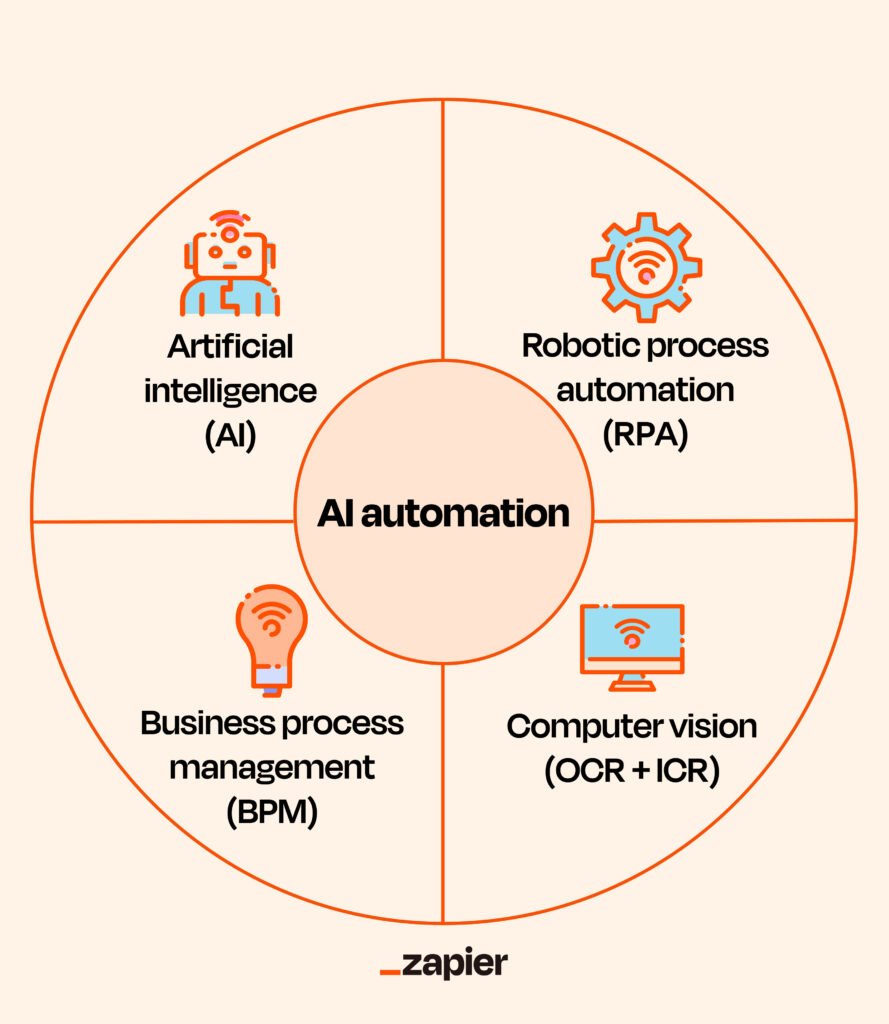
Pairing automation with AI gives you the ability to run complex workflows automatically — delegating tasks to AI such as summarizing content, classifying text through pattern recognition, extracting data from unstructured inputs, and analyzing information. This means automating work that previously required human judgment. In Zapier’s workflow builder, the “AI by Zapier” action step allows you to insert an AI processing step between any trigger and action. You provide a prompt template — including dynamic fields pulled from earlier steps — and the AI generates output that flows into the next action.
For example: new customer support ticket arrives by email → AI by Zapier classifies the ticket as billing, technical, or general inquiry → ticket is routed to the appropriate team channel in Slack with an AI-generated one-paragraph summary. This is a three-step Zap that handles intake triage automatically, without requiring a human to read and categorize each ticket.
Pricing Reality and Limitations
Zapier’s free plan offers 100 tasks per month — this vanishes in days with any real usage, as a single multi-step Zap consumes multiple tasks. Advanced features including paths, filters, and premium app integrations require paid plans. The Starter plan at approximately $20 per month provides 750 tasks. The Professional plan at $49 per month unlocks unlimited multi-step Zaps and most premium features.
For teams needing more complex, conditional logic with deeper customization at lower cost per task, Make (formerly Integromat) is the primary alternative. Make uses credit-based pricing and offers a visual workflow builder with more granular control, but requires more technical understanding to configure. Zapier is best for straightforward automations and non-technical teams; Make suits advanced workflows where per-operation cost matters.
The five workflows described above, running on Zapier’s Professional plan, realistically save three to five hours per week for a creator, small business operator, or knowledge worker publishing content, managing leads, and responding to customers. The setup time for all five is under two hours. The return on that investment begins on day one.